Malware scan summary
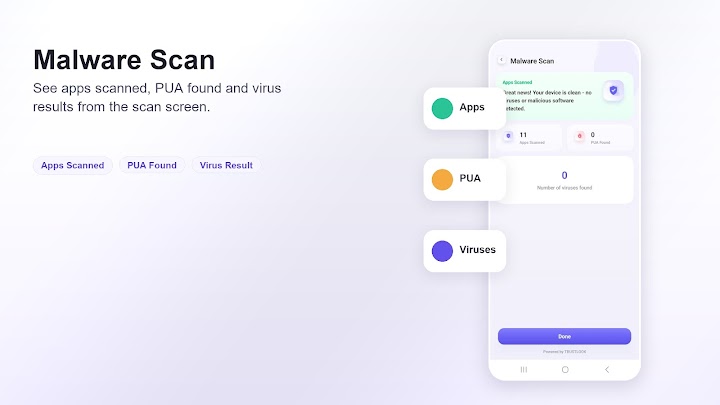
Review apps scanned, PUA found, and virus result counts in a direct scan screen.
Android tools app
Malware scan, file browser, and device status in one simple app. Review scan results, storage categories, redundant files, RAM, battery, CPU, and app status from a clean dashboard.
Store details
Phone Armor is listed on Google Play as a Tools app by Kalsoom Afzal. The current store listing describes it as a simple way to view malware scan information, files, and device status.
Core features
Phone Armor keeps the everyday checks close together: scan summaries, storage categories, redundant file groups, memory usage, battery level, CPU information, and installed app status.
Review apps scanned, PUA found, and virus result counts in a direct scan screen.
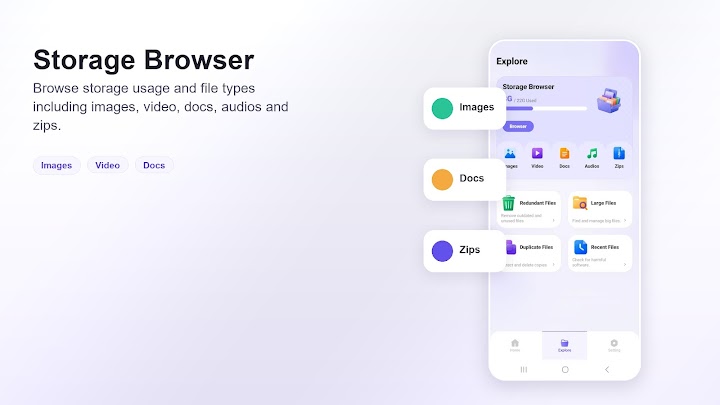
Browse common file types such as images, video, docs, audios, and zips.
Check RAM usage, battery level, CPU cores, and app item count from the main dashboard.
Inspect APK files, downloads, screenshots, temp files, media trash, and logs before cleanup.
Screens
The app uses large cards, visible labels, and focused status screens to make common phone checks easier to scan.
Start from a simple dashboard for malware scan access, RAM, battery, CPU, and app status.
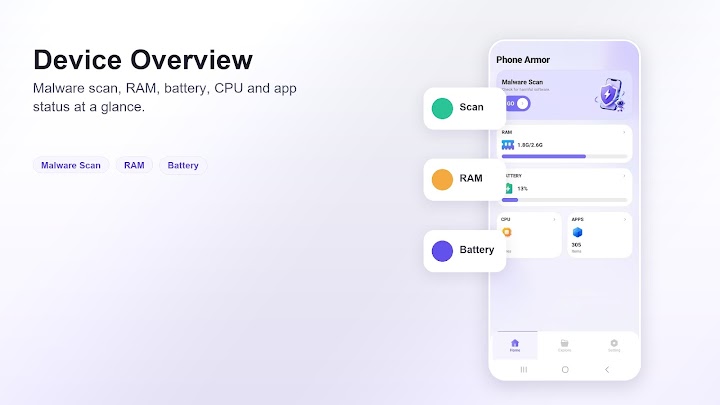
Review scan status and result numbers without digging through complicated menus.
See used storage and browse familiar file categories before deciding what to review.
Privacy and safety
The Google Play listing states that the app may collect or share app activity, app info and performance, and device or other IDs, and that data is encrypted in transit.